
Setting a Custom Attribute in Exchange Online for use in Signature 365
Use a custom Exchange Online attribute to let your IT team centrally manage a field in Signature 365.
Problem
You wish to use a custom attribute in exchange online to allow your IT Team to centrally manage a custom attribute in Signature 365.
Solution
The 15 Exchange Online Custom attributes are imported by default into your Signature 365 tenant following integration.
You can set one of these attributes and then use the field within a template in Signature 365 by using the following steps.
- Log on to the Exchange admin center
- Select the Recipients > Mailbox menu item
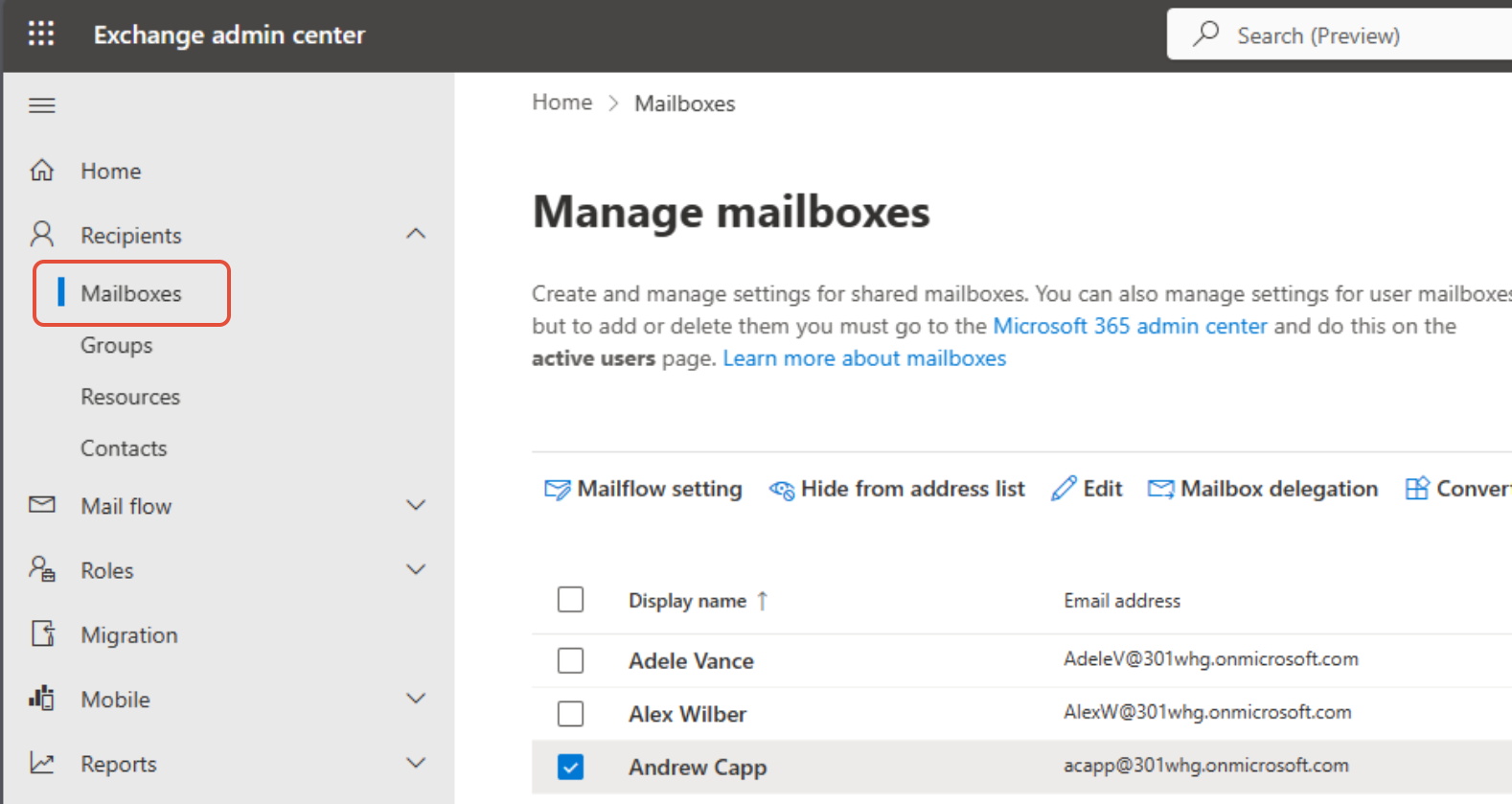
- Select the recipient you want to update - a flyout menu will appear on the right-hand side
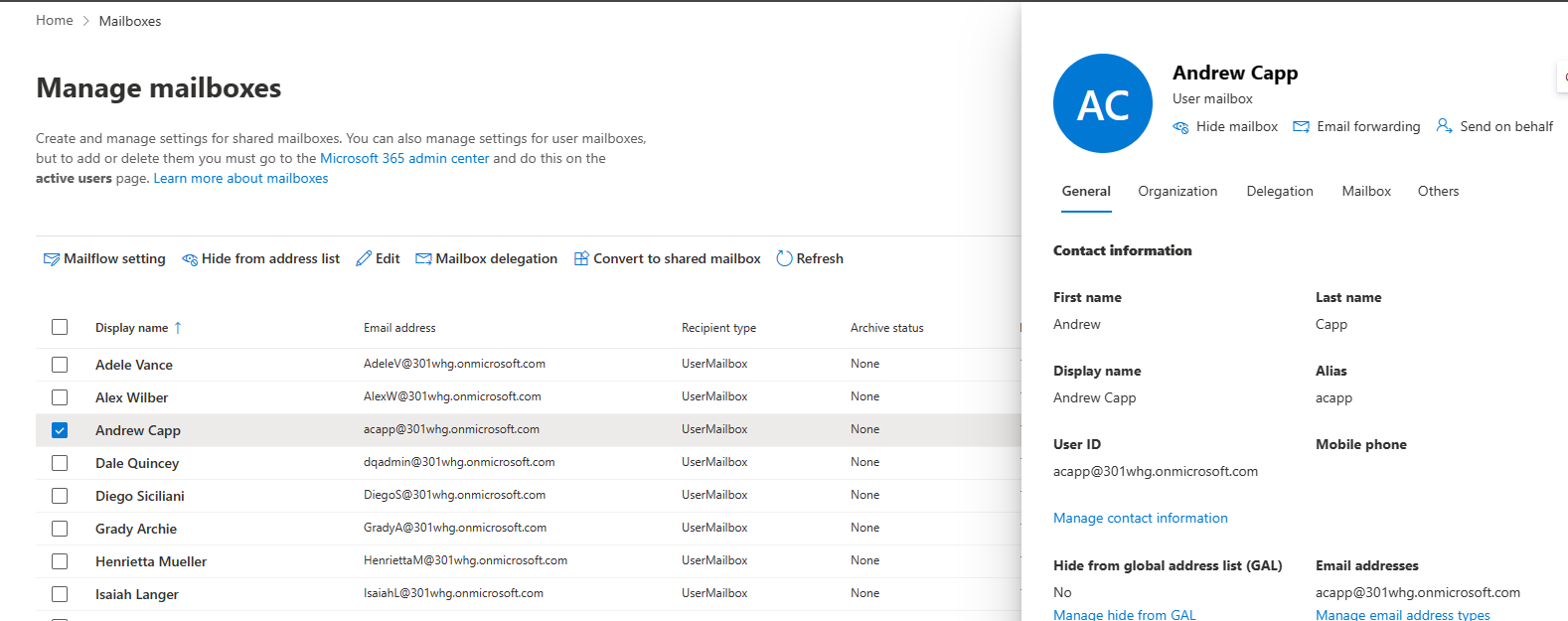
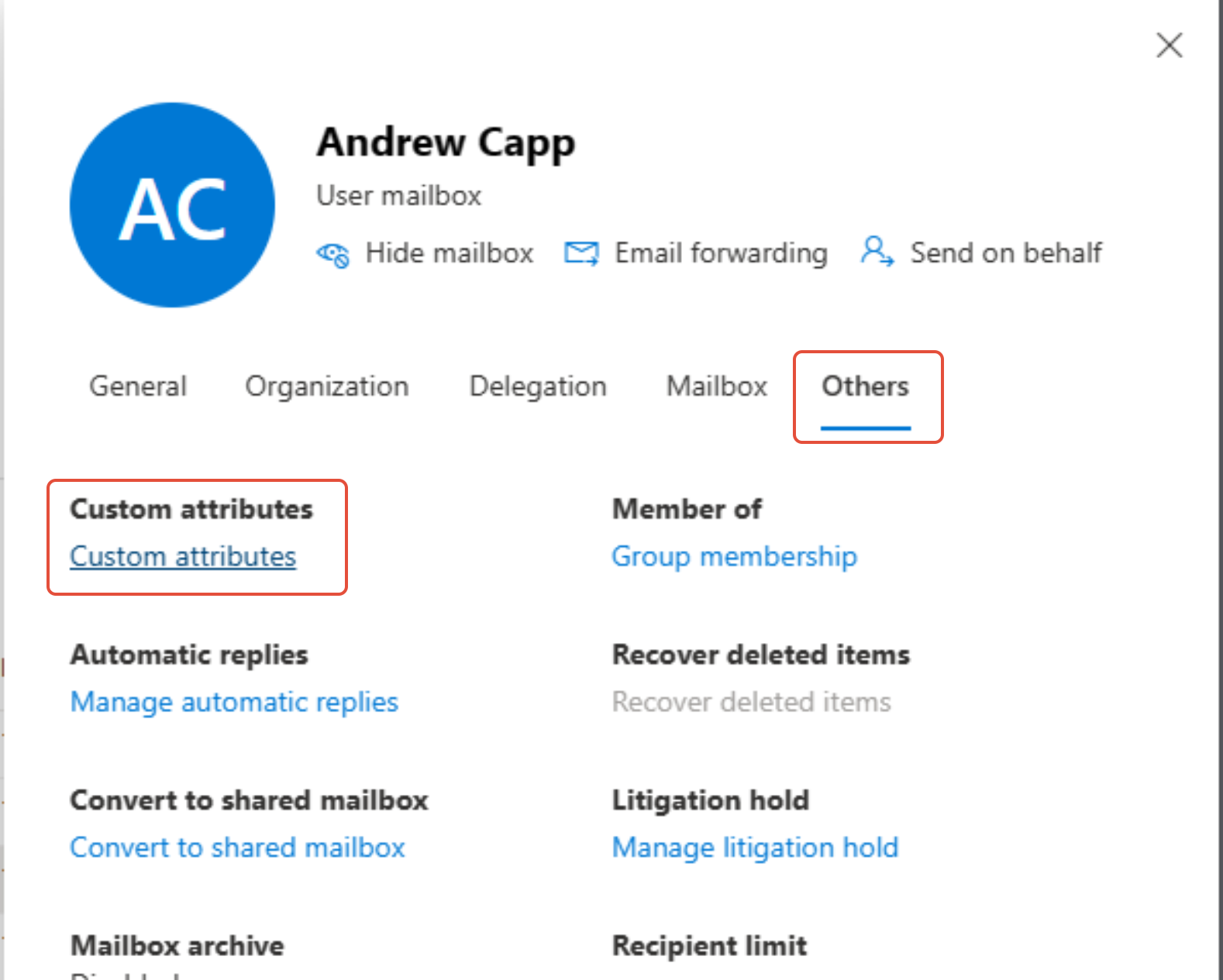
- Select the Others tab, and select the Custom attributes link
- Set the attribute 1–15 that you wish to use
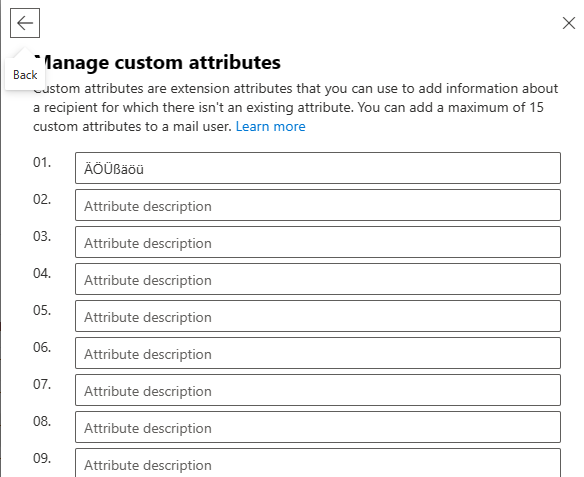
- The value will be imported on the next Sync run, and the field can be used in the required template
Restrict access to Signature 365 server-side signatures using a Microsoft 365 Security group
Restrict which users receive server-side signatures with a Microsoft 365 security group.
On-premises
Installation and configuration guides for Signature 365 on-premises connectors, including the Exchange Agent, Database Connector, and Active Directory Connector.